

Submitting a project on Story Inc. is quick, creative, and designed to help your film shine. Your project represents the film, series, or story world you want to share with fans — it’s the foundation for your Market Questions, clips, and community engagement.
Before submitting a project, you’ll need a Filmmaker Profile.
To create your Filmmaker Profile:
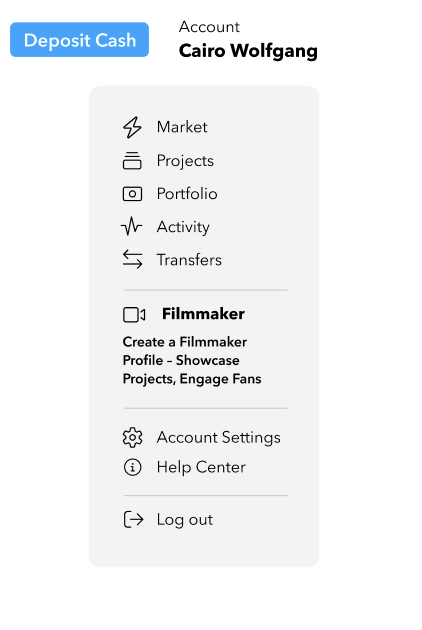
Once your Filmmaker Profile is complete, you’ll unlock the tools to submit projects, post Market Questions, and track engagement.
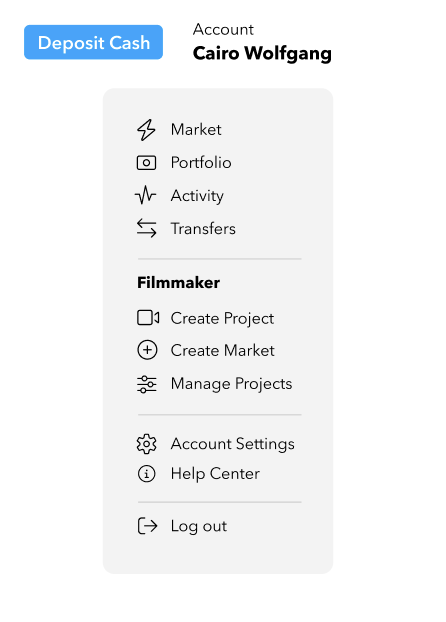
Select Create Project from the dropdown menu. You’ll find this option under both Create a Project and Manage Projects.
Your project application serves two purposes:
It allows our team to review your submission to ensure it aligns with Story Inc.’s mission and maintains the quality of content featured on the platform.
It creates your dedicated project page, where fans can learn about your film, follow its progress, and engage through your Market Questions.
Think of the application as both an internal review and a public showcase — an opportunity to present your project at its best. Come prepared with your strongest materials and clearest creative vision.
The form gives our team — and your future audience — a clear snapshot of your project. It’s designed to be fast and flexible; you can start simple and build over time. You'll be asked to provide:
Tip: Your project page can be updated anytime as your film evolves — from concept to completion. Start with what you have now and refine as you go.
After you submit, our team reviews your project to ensure it aligns with Story Inc.’s mission and creative standards — and to make sure it’s set up for success when engaging with fans.
This review helps:
You’ll be notified by email once your project is approved and ready to go live.
Once approved, your project gets its own dedicated page on Story Inc. — your hub for:
Your project page also connects directly to the main Market page, giving your film visibility across the platform.


